
Quick Summary & Key Takeaways
- Jobber wins for small-to-midsize trade businesses: transparent pricing starting at $49 to $129/mo, rapid 48-hour onboarding, and clean mobile interfaces for 1 to 10 technicians.
- ServiceTitan wins for enterprise trade contractors: unmatched dispatch board intelligence, dynamic call tracking, automated marketing ROI, and multi-option sales presentations for 10 or more trucks.
- Pricing verdict: Jobber offers predictable self-serve tiers up to $349/mo; ServiceTitan requires $245 to $395+ per technician monthly plus $3,000 to $5,000+ onboarding on non-negotiable annual contracts.
Free Interactive Companion Tool
Test inputs and calculate figures directly with our in-browser tool
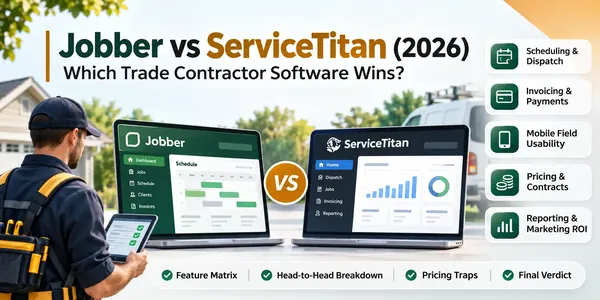
Jobber vs ServiceTitan (2026): Which Trade Contractor Software Wins?
Trade contractors evaluating field service management software face a fundamental choice between lightweight operational agility and enterprise-grade command. In this head-to-head evaluation, we test Jobber and ServiceTitan across live dispatch routing, mobile app usability, QuickBooks financial syncing, call tracking, and verified subscription pricing to determine which platform fits your contracting business.
Upfront Head-to-Head Feature Matrix
The table below outlines how Jobber and ServiceTitan compare across verified late-2026 capabilities, financial workflows, and contractual terms:
| Evaluation Dimension | Jobber | ServiceTitan | Category Winner |
|---|---|---|---|
| Primary Target Audience | Solo to 15-truck service businesses and home services | High-revenue trade fleets with 10 to 100+ trucks | Context dependent |
| Starting Cost Floor | $49 to $69 / month (Core single user) | ~$245 to $395 / tech / month ($10K+ annual minimum) | Jobber (Accessible entry point) |
| Onboarding & Setup Fee | Free self-guided setup or optional $300 coaching | Mandatory $3,000 to $10,000 implementation package | Jobber (Rapid deployment) |
| Contract Commitment | Month-to-month or discounted annual billing | Strict 12 to 36-month non-refundable enterprise terms | Jobber (Zero contract lock-in) |
| Dispatch & Schedule Board | Drag-and-drop calendar, map view, basic tech assignment | Live GPS breadcrumbs, capacity planning, skill routing | ServiceTitan (Enterprise fleet dispatch) |
| Route Optimization | Basic multi-stop route sequencing (Grow tier) | Advanced real-time traffic adjustments and zone density | ServiceTitan (Fleet fuel reduction) |
| Mobile Field Usability | Fast, lightweight app with near-zero learning curve | Feature-dense tablet sales terminal with steep training | Jobber (Speed & tech adoption) |
| In-Home Sales Presentations | Clean single-price quotes or simple line items | Multi-option Good-Better-Best visual proposals | ServiceTitan (Higher average ticket) |
| Accounting Synchronization | Fast two-way sync with QuickBooks Online and Xero | Deep sync with QuickBooks Desktop, Online, and Intacct | Jobber (Zero accounting friction) |
| Call Center & Phone Tracking | Basic client phone logging; no native telephony | Native VoIP, call recording, CSR scorecards, ad attribution | ServiceTitan (Enterprise marketing ROI) |
| Job Costing & Inventory | Basic labor hours and material expense tracking | Multi-warehouse inventory, purchase orders, equipment tracking | ServiceTitan (Complex parts management) |
Tool Overviews: Two Field Service Philosophies
Jobber Overview
Jobber is an accessible cloud-based field service management platform founded in 2011 in Edmonton, Canada. The software centralizes customer records, online booking, technician dispatching, mobile quotes, and payment processing into a streamlined interface. Built primarily for small-to-midsize trade businesses, residential cleaning services, and lawn care contractors, Jobber focuses on rapid software adoption, fast mobile performance, and self-serve configuration without enterprise consultants.
ServiceTitan Overview
ServiceTitan is the flagship enterprise operating system for the mechanical trades, founded in 2012 and headquartered in Glendale, California. Developed specifically for high-revenue residential and commercial HVAC, plumbing, electrical, and roofing contractors, ServiceTitan replaces disconnected point solutions with an all-inclusive platform. It combines direct call center integration, intelligent fleet dispatching, mobile visual sales presentations, inventory replenishment, and granular marketing analytics.
Round 1: Scheduling, Dispatch & Route Optimization
Round Winner: ServiceTitan
The Deciding Factor: ServiceTitan provides dynamic dispatch boards with live GPS technician breadcrumbs, capacity planning alerts, and skill-based routing that automatically pairs complex service calls with high-performing technicians.
The Head-to-Head Breakdown
ServiceTitan (Enterprise Fleet Command):
- Advantage: Its dispatch board operates like an airline operations center. Dispatchers view real-time traffic conditions, technician drive times, and truck inventory status. Automated rules match service calls to technician skill sets and historical sales closing rates, directing emergency high-ticket system replacements to top technicians.
- The Real Catch: High administrative overhead. The dispatch console is dense and requires extensive dual-monitor setups and dedicated dispatchers to manage effectively.
- Best For: Mechanical contractors running 10 or more trucks with dedicated office dispatch personnel. For trade crews handling complex circuit layouts, pairing fleet dispatch with dedicated electrical estimating software locks in material takeoffs before technicians roll.
Jobber (Agile Calendar Dispatch):
- Advantage: Clean, intuitive calendar interface. Office managers can drag and drop appointments, toggle between grid, map, and list views, and assign jobs in seconds. On the Grow plan, Jobber provides route optimization that reorders daily service stops along the shortest driving path.
- The Real Catch: Route optimization is basic. Jobber calculates static driving routes at the start of the day but does not dynamically reroute technicians based on live midday traffic changes or emergency call interruptions.
- Best For: Small trade businesses and route-based services where owners or office managers handle dispatching alongside billing.
| Dispatch & Routing Metric | Jobber | ServiceTitan |
|---|---|---|
| Dispatch Board View Modes | Day, week, month, map grid | Real-time timeline, technician status, map radar |
| Route Optimization Engine | Static waypoint reordering (Grow plan) | Dynamic drive-time calculations and territory zones |
| Skill-Based Technician Matching | Manual technician selection | Automated matching based on license and closing rate |
| Automated Arrival Alerts | SMS customer on-my-way alerts | Live GPS tracking link with technician bio and photo |
Practitioner Rule: If your office runs 1 to 8 service vehicles and needs to book and move appointments quickly without a 20-hour software course, Jobber keeps scheduling simple. If you manage 15 or more trucks and lose thousands of dollars each month to poor route clustering and technician idle time, ServiceTitan delivers clear fleet efficiency.
Round 2: Invoicing, Payments & QuickBooks Syncing
Round Winner: Jobber
The Deciding Factor: Jobber delivers zero-friction billing with transparent payment processing and instant two-way synchronization with QuickBooks Online, eliminating complex accounting errors for small businesses.
The Head-to-Head Breakdown
Jobber (Fast Cash Flow & Client Hub):
- Advantage: Speed from completed job to paid invoice. Field technicians can convert completed visits into invoices with one tap and collect payment on-site. Customers receive a secure self-service link to the Jobber Client Hub, where they can approve quotes, view past invoices, and pay via credit card or bank transfer with automated reminders.
- The Real Catch: Processing fee incentives. Contractors receive the smoothest billing experience when using Jobber Payments, but processing surcharges apply if you process through third-party gateways.
- Best For: Trade contractors who want to get paid immediately upon job completion without managing complex inventory accounting.
ServiceTitan (Enterprise Job Costing & Multi-Entity Ledger):
- Advantage: Industrial accounting control. ServiceTitan manages purchase orders, truck stock replenishment, job costing down to specific profit centers, and progress billing. It offers direct integration with QuickBooks Desktop Enterprise and Sage Intacct for multi-location enterprises.
- The Real Catch: High setup complexity. Chart-of-accounts mapping requires weeks of professional configuration. Minor errors in inventory item setup can lead to broken synchronization batches that require accounting intervention.
- Best For: Established trade businesses running complex inventory warehouses, warranty reserves, and multi-department financial statements.
| Financial & Invoicing Metric | Jobber | ServiceTitan |
|---|---|---|
| Accounting Integrations | QuickBooks Online, Xero | QuickBooks Online, QuickBooks Desktop, Sage Intacct |
| Customer Self-Service Portal | Jobber Client Hub (quotes, invoices, cards) | Customer portal with stored equipment records |
| Recurring Service Billing | Automated credit card auto-pay on visits | Complex service agreement billing and reserve funds |
| Inventory & Purchase Order Sync | Basic line-item expense tracking | Multi-warehouse replenishment and PO matching |
Practitioner Rule: For contractors with annual revenue under $2 million who run QuickBooks Online, Jobber provides the fastest path to healthy cash flow. If your business manages $500,000 in truck stock across multiple warehouses and requires progress billing for commercial projects, ServiceTitan's enterprise ledger is necessary. Before standardizing your pricing packages, verify your target gross margin using our free markup and margin calculator.
Round 3: Mobile Field Technician Usability
Round Winner: Jobber
The Deciding Factor: Jobber's mobile application is fast, reliable, and intuitive, allowing junior technicians to master job workflows, site photos, and customer signatures in less than one hour of training.
The Head-to-Head Breakdown
Jobber (Clean Field App):
- Advantage: Minimal friction on smartphones. The Jobber mobile app loads instantly, displays clear daily schedules, and guides technicians through clocking in, viewing job attachments, logging work notes, and taking customer signatures. It runs smoothly on personal iOS or Android devices without requiring specialized tablets.
- The Real Catch: Basic proposal presentation. Technicians can send standard estimates, but the app does not provide rich interactive product brochures or comparison sliders for high-ticket residential replacements.
- Best For: Small crews, apprentices, and subcontractors who need to complete service calls quickly without complex digital paperwork.
ServiceTitan (Tablet Sales Presentation Powerhouse):
- Advantage: High-converting visual sales presentations. ServiceTitan Mobile 2 turns an iPad into an interactive showroom. Technicians presenting HVAC replacements or electrical panel upgrades can walk homeowners through tiered Good, Better, and Best options with photos, video explainers, and instant financing terms. If you specialize in residential mechanical installations, pairing this sales approach with dedicated HVAC estimating software helps verify equipment pricing and labor hours before presenting options.
- The Real Catch: Demanding hardware requirements and steep learning curve. The app requires modern tablets, consumes significant battery life, and requires extensive training. Older or non-technical service technicians often struggle with its multi-step navigation.
- Best For: Comfort advisors, system replacement sales reps, and diagnostic technicians trained in consultative selling.
| Mobile Usability Dimension | Jobber Mobile | ServiceTitan Mobile 2 |
|---|---|---|
| Hardware Compatibility | iOS & Android smartphones and tablets | Optimized primarily for iPad / tablet screens |
| Field Training Onboarding Time | Under 1 hour for full technician proficiency | 2 to 4 weeks of structured coaching required |
| Offline Mode Capability | Cached schedules; uploads sync upon reconnection | Full offline mode with extensive local database storage |
| Visual Proposal Builder | Standard line-item estimates with photos | Multi-option Good-Better-Best visual presentation |
Practitioner Rule: If your field technicians focus on completing repairs, maintenance checks, and quick service calls, Jobber prevents mobile user errors. If your business model relies on technicians acting as in-home sales consultants who present $15,000 system replacements, ServiceTitan delivers significantly higher closing rates.
Round 4: Pricing Transparency & Contract Floors
Round Winner: Jobber
The Deciding Factor: Jobber offers completely transparent, self-service monthly pricing with zero mandatory implementation fees and no multi-year contract locks, while ServiceTitan enforces multi-year commitments with high annual minimum fees.
The Head-to-Head Breakdown
Jobber (Predictable SaaS Pricing):
- Advantage: Complete pricing transparency. Contractors can sign up online, review published pricing tiers, and pay month-to-month. Plans range from $49 per month for Core, $129 per month for Connect (up to 5 users), and $249 per month for Grow (up to 15 users). You can add or remove user seats as seasonal demand shifts without penalties.
- The Real Catch: Higher tiers are necessary for key automation. If you need two-way text messaging or GPS route optimization, you must upgrade to the Grow tier.
- Best For: Startups, solo operators, and growing trade businesses that need flexible operating expenses.
ServiceTitan (Enterprise Contract Floor):
- Advantage: Comprehensive enterprise licensing that includes dedicated account managers, customized database migration, and custom API access for large operations.
- The Real Catch: High total cost of ownership. Pricing is private and quoted per technician, typically ranging from $245 to $395 per month. In addition, contractors must pay a mandatory implementation fee of $3,000 to $10,000 and sign non-negotiable 12 to 36-month contracts with annual spending floors.
- Best For: High-volume contracting businesses generating $2.5 million or more in revenue that can absorb substantial fixed software overhead. For large exterior restoration firms, pairing enterprise operations with specialized roofing estimating software keeps steep-slope material budgets accurate.
The table below illustrates the total software expenditure across three years for different contracting business sizes:
| Contractor Profile & Scale | Jobber 3-Year Total Cost | ServiceTitan 3-Year Total Cost | Cost Difference |
|---|---|---|---|
| Small Service Shop (3 Technicians) | $5,544 ($129/mo Connect + 1 add-on seat) | $32,100 ($265/tech/mo + $3,500 setup) | Jobber saves $26,556 (82.7% lower cost) |
| Mid-Size Trade Crew (8 Technicians) | $10,764 ($249/mo Grow billed annually) | $79,900 ($265/tech/mo + $3,500 setup) | Jobber saves $69,136 (86.5% lower cost) |
| Enterprise Trade Fleet (20 Technicians) | $15,984 ($249/mo Grow + 5 extra seats) | $197,000 ($320/tech/mo + $5,000 setup) | ServiceTitan costs $181,016 more, justified only by enterprise ROI |
The Primary Pricing Traps Revealed
- The ServiceTitan Annual Minimum Spending Lock: When you sign with ServiceTitan, your contract locks you into paying for a contracted number of technician seats for 12 to 36 months. If two technicians leave your company or economic slowdowns force you to downsize your fleet, your monthly bill does not decrease.
- The Jobber Tiered Feature Wall: Jobber keeps its entry price low, but key operational tools like automated two-way customer messaging, chemical tracking, and job costing require the Grow plan at $249 to $349 per month. For a 3-person crew, this jumps your software investment significantly compared to entry marketing.
Practitioner Rule: Never sign an enterprise software contract with ServiceTitan unless your company already generates at least $2 million in annual revenue and maintains dedicated office dispatchers. For businesses below that threshold, Jobber provides 85% of the operational utility at less than one-fifth of the cost.
Round 5: Reporting, Call Tracking & Marketing ROI
Round Winner: ServiceTitan
The Deciding Factor: ServiceTitan includes native cloud telephony with dynamic phone number tracking, CSR call booking scorecards, and automated marketing attribution that calculates the exact revenue generated per marketing campaign.
The Head-to-Head Breakdown
ServiceTitan (Enterprise Marketing Intelligence):
- Advantage: Unmatched revenue attribution. ServiceTitan assigns dedicated tracking phone numbers to every marketing channel (Google Local Services Ads, direct mail, billboards, SEO). When a customer calls, the system records the audio, displays past customer service records, and tracks whether the customer service representative booked the appointment. If booked, it tracks the technician's completed invoice total back to the initial ad spend.
- The Real Catch: Requires disciplined data entry. If office CSRs skip tagging call reasons or fail to classify unbooked leads, the reporting data loses its precision.
- Best For: Aggressive marketing trade contractors spending $10,000 or more per month on customer acquisition.
Jobber (Core Financial & Operational Reports):
- Advantage: Simple, clear financial reports. Jobber delivers straightforward dashboards covering revenue by client, outstanding invoices, tax summaries, and technician hours worked. Business owners can review their operational health in minutes without wading through complex data pivots.
- The Real Catch: No native marketing attribution or telephony. Jobber cannot record incoming customer calls, track phone marketing campaigns, or score CSR booking performance without integrating third-party tools like CallRail or Zapier.
- Best For: Contractors whose leads originate primarily from word-of-mouth, direct customer referrals, and organic repeat business.
| Reporting & Marketing Metric | Jobber | ServiceTitan |
|---|---|---|
| Inbound Phone Call Tracking | Third-party integration only (Zapier/CallRail) | Native cloud VoIP with audio recording & number pooling |
| CSR Booking Rate Analytics | Not supported | Detailed conversion percentages by office representative |
| Ad Campaign Revenue Attribution | Manual referral source tagging | Automated closed-loop ROI from ad click to paid invoice |
| Technician Sales Scorecards | Basic billable hours and revenue reports | Close rates, average ticket size, and option presentation % |
Practitioner Rule: If you spend heavily on digital marketing, local service ads, and direct mail campaigns, ServiceTitan pays for itself by revealing which ads generate real installation revenue. If your trade business grows primarily through builder partnerships and customer referrals, Jobber's standard reporting is more than sufficient. If your operations focus heavily on long-duration construction contracts, review our analysis of dedicated construction management software.
When to Choose Jobber vs When to Choose ServiceTitan
Use this practical operational checklist to match your business stage and fleet size to the right platform:
Choose Jobber If:
- You operate 1 to 10 service vehicles: You need a clean, dependable operating system that your office and field crew can configure in a weekend without specialized software consultants.
- You want predictable month-to-month subscription fees: You refuse to sign multi-year enterprise contracts with non-negotiable minimum spending floors or high implementation fees.
- Your technicians need a simple mobile app: You want a mobile tool that works smoothly on standard smartphones and requires under an hour of training for new apprentices.
- Your financial backend runs on QuickBooks Online: You want fast, error-free two-way syncing of invoices, payments, and client records.
- Your service work is high-frequency and fast: You handle routine maintenance, service calls, lawn care, pressure washing, or residential trade repairs that do not require multi-option consultative selling.
Choose ServiceTitan If:
- You run 10 or more service trucks: Your business generates $2 million or more in annual revenue with dedicated full-time dispatchers and customer service representatives.
- You invest heavily in multi-channel marketing: You spend thousands of dollars each month on Google Ads, direct mail, and radio, requiring closed-loop revenue attribution down to the exact campaign.
- Your technicians sell high-ticket replacement systems: You need an iPad sales presentation tool that presents Good, Better, and Best options with built-in customer financing to maximize average ticket values.
- You manage complex inventory and supply chain replenishment: You track hundreds of thousands of dollars in truck stock across multiple warehouses and require automated purchase order reconciliation.
- You run QuickBooks Desktop Enterprise or Sage Intacct: Your accounting department requires complex job costing, departmental profit centers, and inventory depreciation tracking.
The Final Verdict
Jobber is the decisive overall winner for small-to-midsize trade contractors, independent service operators, and businesses running up to 10 trucks. Its transparent pricing, rapid implementation, responsive mobile app, and straightforward QuickBooks syncing deliver immediate operational control without burdening your business with heavy contractual overhead.
ServiceTitan is the undisputed champion for large, high-growth mechanical trade enterprises running 10 or more service trucks. If your company generates millions in annual revenue and relies on in-home sales presentations, automated fleet dispatching, and granular call-center tracking, ServiceTitan's enterprise features justify its premium price tag and multi-year contractual commitment.